56.7969° N · 5.0036° W — GPX to 3D print
The trail you walked,
in your hands.
Upload a GPX from any walk, run or ride. Trails in Print builds the landscape around it from real elevation data, so you can shape a model in your browser and print it at home.
- Free to design
- STL, OBJ and 3MF
- Multi-colour ready
Drop your GPX file
Export it from Strava, Garmin Connect, Komoot and others
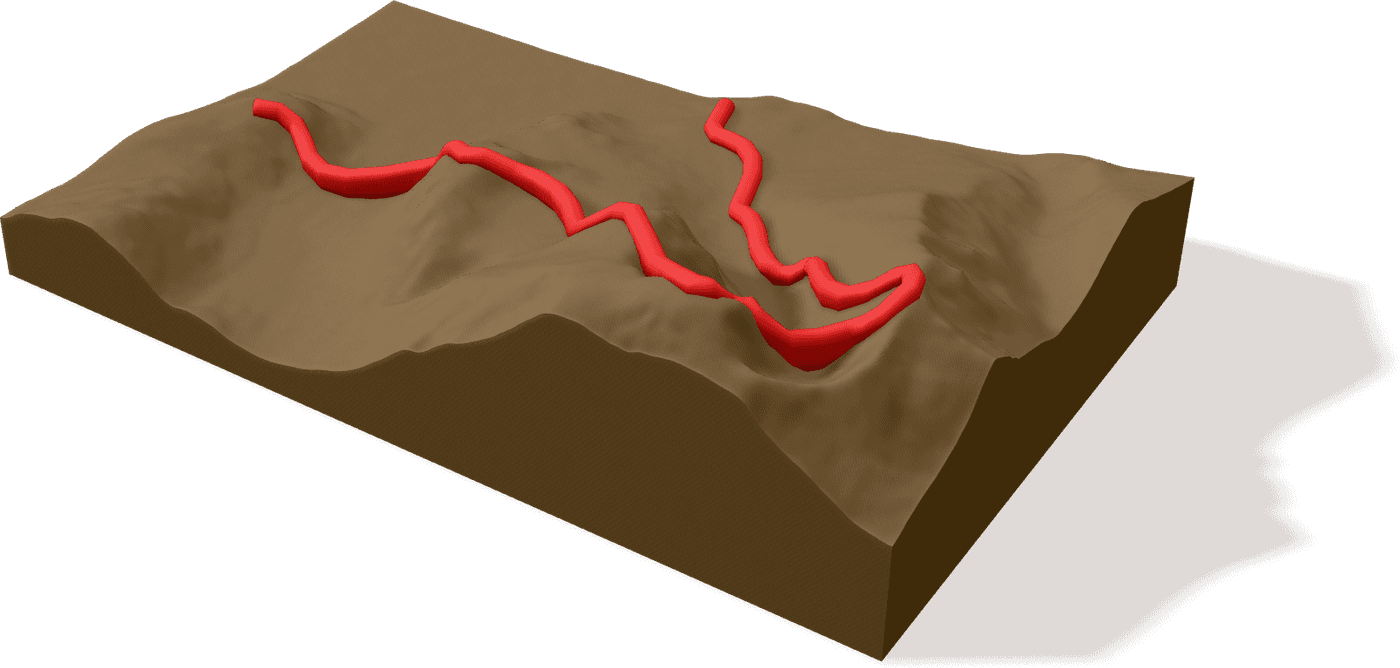
Example model · one trail, many versions
Ben Nevis by the CMD Arête
Route © OpenStreetMap contributors
- Distance
- 16.8 km
- Highest
- 1,345 m
- Width
- 100 mm
How it works
From a GPX file to a model on your shelf
- 01
Upload your route
Drop in a GPX from your watch, bike computer or route planner. We fetch the terrain around it automatically.
- 02
Shape your model
Choose the size and base shape, how the trail sits on the land, and up to eight print colours taken from land-cover data.
- 03
Download and print
Export a print-ready STL, OBJ or 3MF. Multi-colour and inlay exports are laid out for Bambu Studio.
What you can make
Four base shapes
Square, hexagon, octagon or circle, from 5 to 30 cm across.
A trail that stands out
Raise the route above the land in a round, square, triangular or star profile.
Colour from the land
Water, forest, grass, rock and snow, reduced to the colours your printer can handle.
Inlays and jigsaws
Print the trail as a separate insert, or colour pieces that slot into the base with alignment pins.
Pricing
Design for free, pay for the files
Each version of your trail (a different size, base shape or style) is bought once. Add several to your basket and the price per version drops.
- Designing and previewing are free. You only pay for the print files.
- Buy each version once, then download it as STL, OBJ or 3MF, in any colours.
- Mix sizes, base shapes and styles of the same trail in one basket.
- Up to 12 versions an order, always at the lowest price the packs allow.
- 1 version
- 2 versions
- 4 versions